Plan, book and live your holiday: your way, as a package or with a guide.
HolidayWow
Sign in

HolidayWow vs Polarsteps

Plan a trip
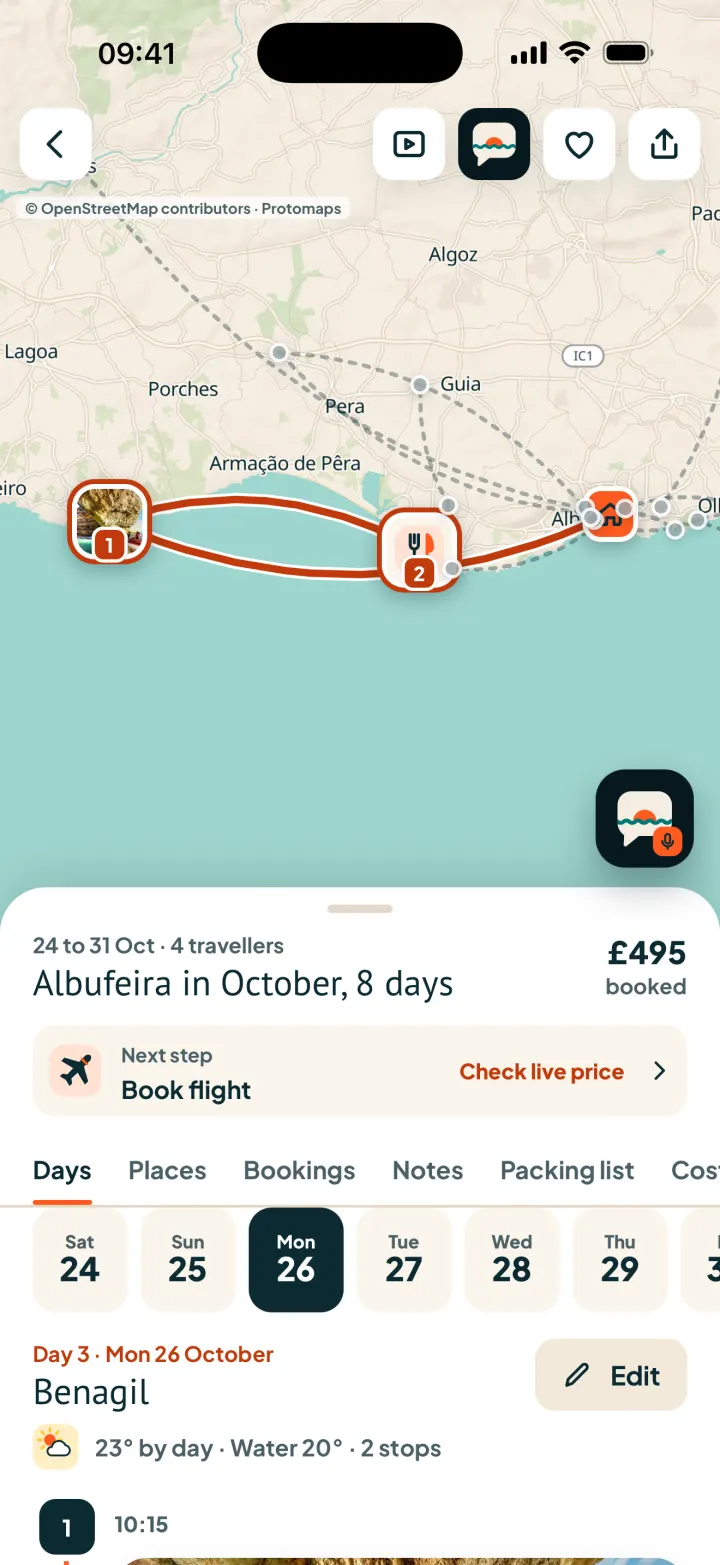
HolidayWow on a phone: the trip day by day on the map
Destinations
15,104
places, beaches and stays
1,986,461
written guides
45,847
monthly climate records
179,436

HolidayWow and Polarsteps compared

Every detail about another app comes from its official site, help centre or store listing, with the source and the date. As of 5 October 2026.

Features compared, as of 5 October 2026
FeatureHolidayWowPolarsteps
Planning from one sentenceYes: Type or say the trip and it is planned day by day on the mapIn part: AI itinerary built from your goals and preferences[1]
Real prices from partnersYes: Live price with its source and check time, from Booking.com, GetYourGuide, TourRadar and moreNot listed: Not listed on the official site (5 Oct 2026)[1]
Booking in the appYes: A Book button on every item; hotels check out inside the appNot listed: Stays found via Booking.com, Airbnb and Hostelworld[1]
Packages, guided and group toursYes: TourRadar guided and group tours with real departures, plus package holidaysNot listed: Not listed on the official site (5 Oct 2026)[1]
Map with routes and departuresYes: Every day drawn as a route; tap a leg for buses, trains, ferries and flights with timesIn part: Planned routes, transport options and travel times, plus GPS tracking[1]
Tickets in a travel walletYes: Tickets, boarding passes with QR codes and documents kept with the tripIn part: Booking confirmations forwarded into the trip[1]
Offline accessYes: Tickets open offline; offline maps and the travel folder with PremiumYes: Free: tracking and editing work offline[2]
Live follow-alongYes: One link lets family and friends follow live on the map, no account neededYes: Friends and family follow along and see where you are[4]
AI agent plans and booksYes: Genie plans, books and edits by voice or text, with your OK firstNot listed: You edit the AI itinerary yourself: reorder, add or drop stops[1]
App languagesInfo: English (US, UK, Canada, Australia), German, French and SpanishInfo: 13 languages, including German, French and Spanish[4]
Price and PremiumPlanning, every real price and booking are free. Premium: US$29.99 a year, US$5.99 a month, US$7.99 per trip, the yearly plan with 3 days free.Info: Free core; Plus €8.99/month or €29.99/year (official site)[3]
PlatformsInfo: Web app in any browser on phone and desktop; iPhone and Android apps are the next stepInfo: iOS, Android and web; the tracker runs in the mobile app[2]

How HolidayWow works

Your trip in one sentence

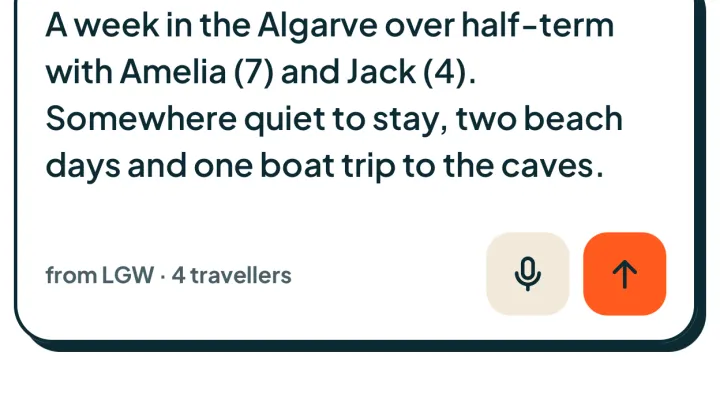
Tap the box at the top of the app and type or say your trip the way you would tell a friend, for example "Half-term in the Algarve with two kids". If anything is missing, a few short questions fill the gap. The plan engine reads the place, the dates or month, who is travelling, the pace and the budget feel, then draws the trip day by day on the map: real places, real routes and real departures, each stop with its photo and travel time.

The app's trip box with a typed trip sentence, a microphone button and a send button

As you like, where you wish, within your budget

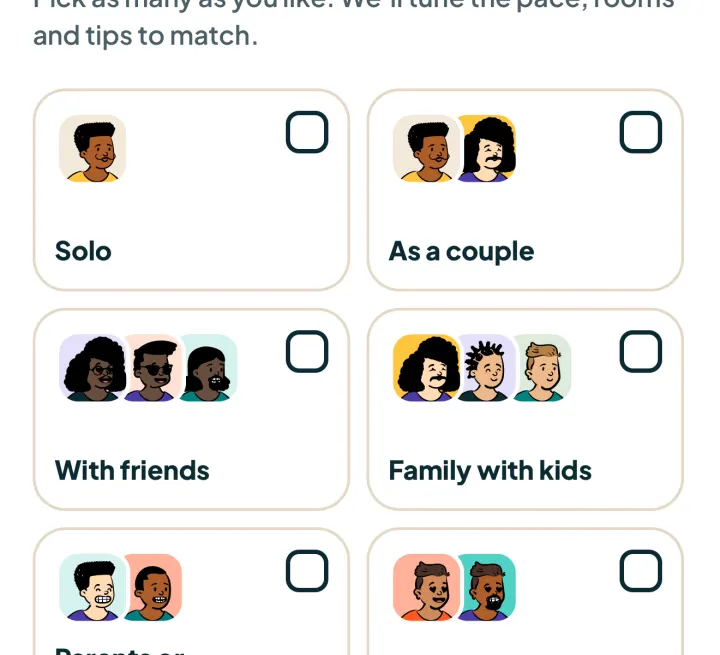
Before the plan is built, you pick who is coming: solo, as a couple, with friends, as a family with the children's ages, or with grandparents. Then the pace: relaxed with one or two stops a day, balanced with two or three, or packed with three to five. Add your interests, your budget feel and fixed or flexible dates, where a month is enough. For "Half-term in the Algarve with two kids", enter both ages, choose relaxed, and every day follows that pace.

Choosing who travels: solo, as a couple, with friends, family with kids and more

Map first, with real routes and departures

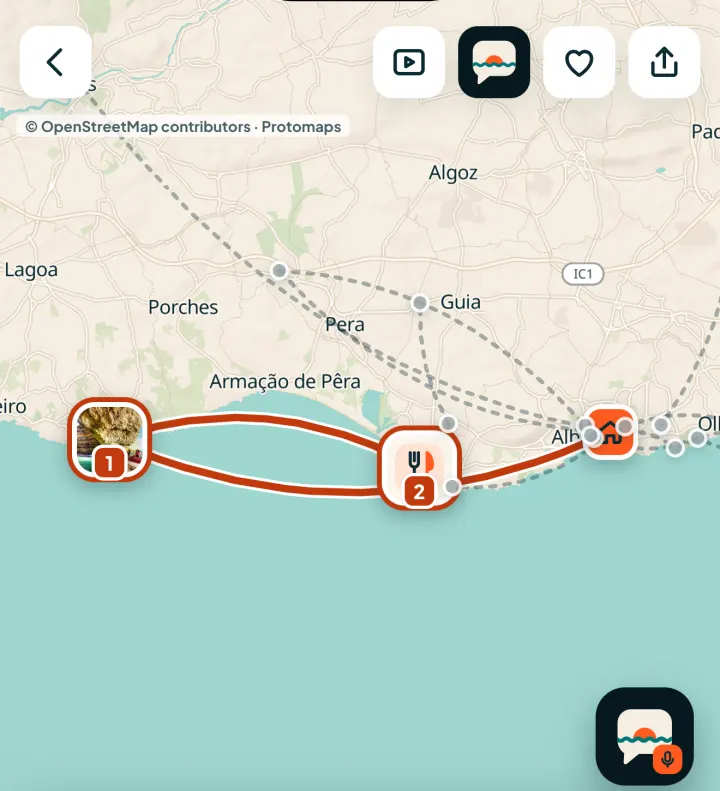
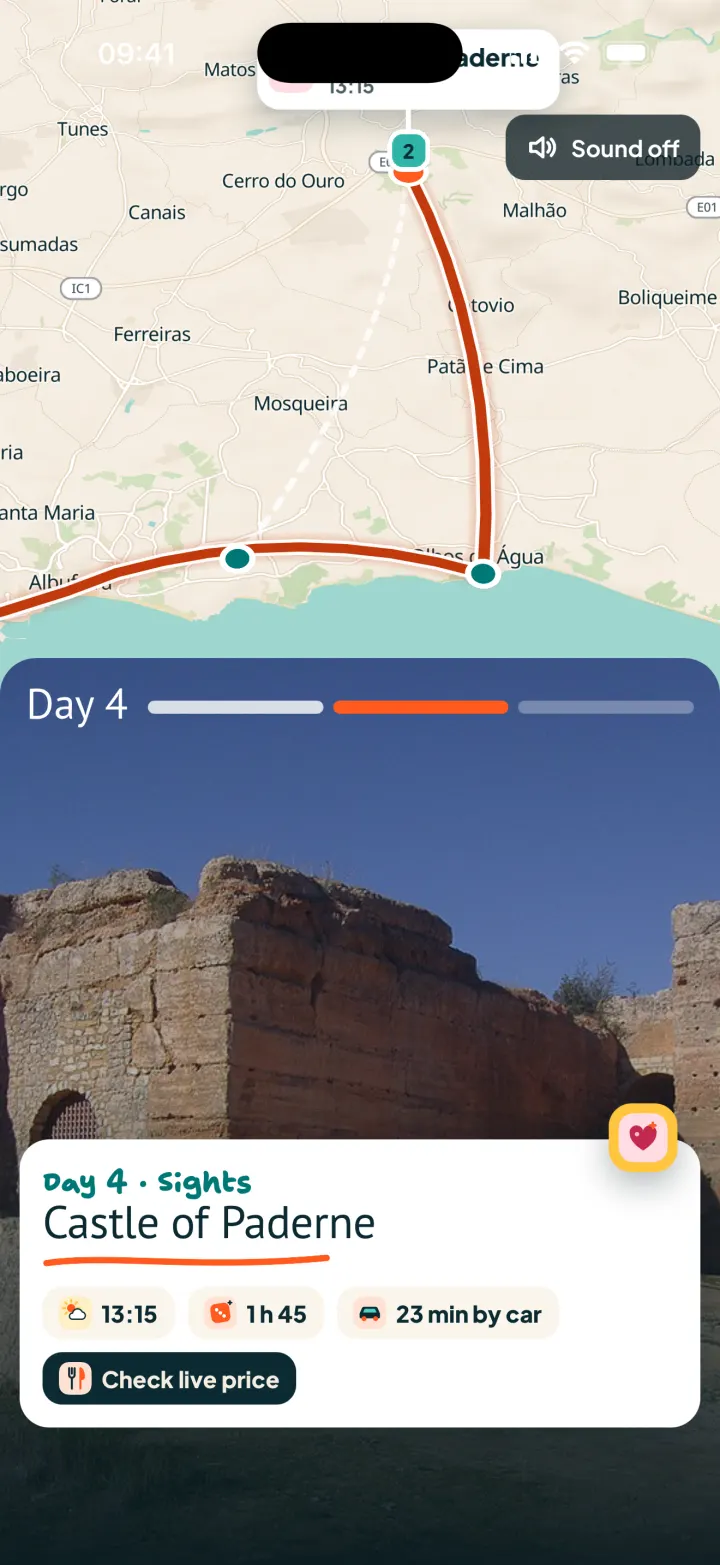
Open a trip and the map comes first. Each day is drawn as a route, each stop is a pin with its photo, and each leg shows how you travel and how long it takes. Tap a leg and a sheet opens with every option for it: bus, train, ferry, flight, car or transfer, with times, the real price and a Book button. On "Half-term in the Algarve with two kids", tap a day in the date row and the map shows that day's route.

A trip in the app: the map with the day's route and numbered stops, the date row and day plan below

Packages, guided and group tours in the same app

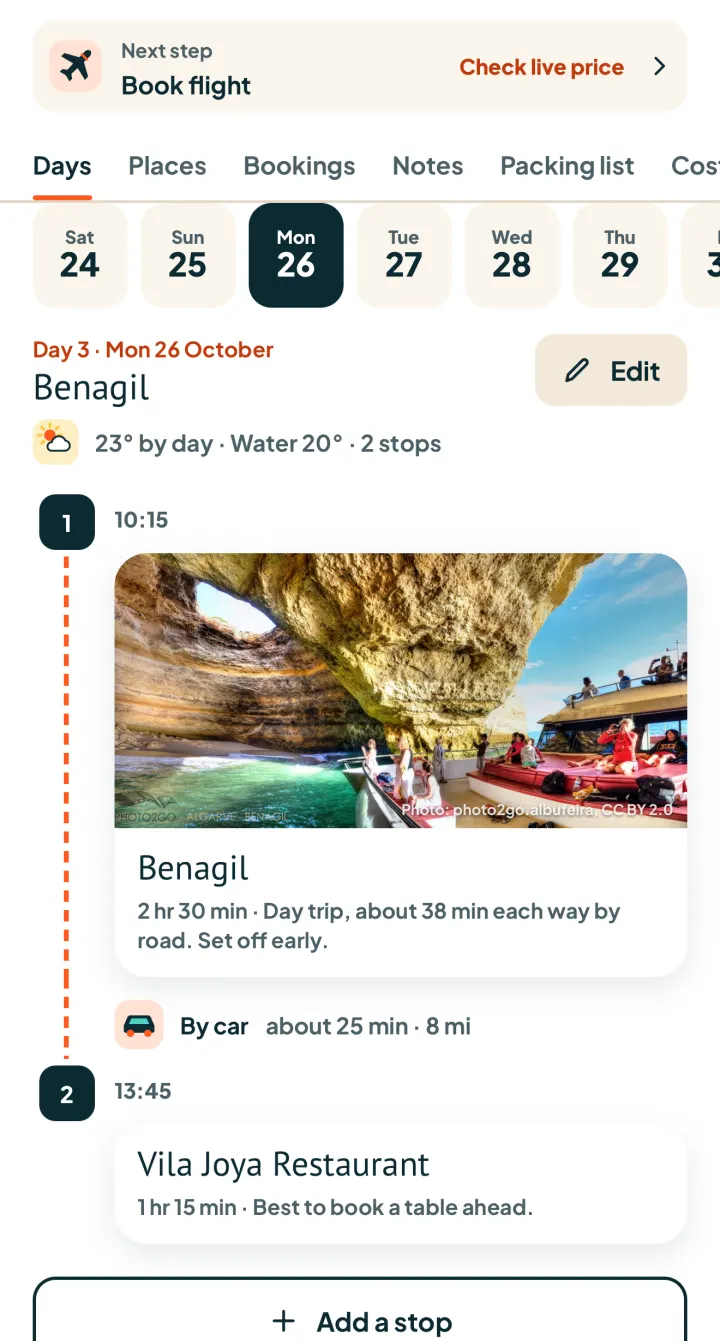
Package holidays, guided tours and group tours sit right next to the trip you plan yourself. Guided and group tours come from TourRadar, with exact filters for destination, month, length, group age and budget, each with real departure dates and real prices. Package holidays bundle flight, hotel and transfer. For "Half-term in the Algarve with two kids", set October and one week, and matching tours appear right next to your own day plan.

Day 3 of the plan with times, stop photos, the drive between stops and the next booking step

Real prices, booked in the app

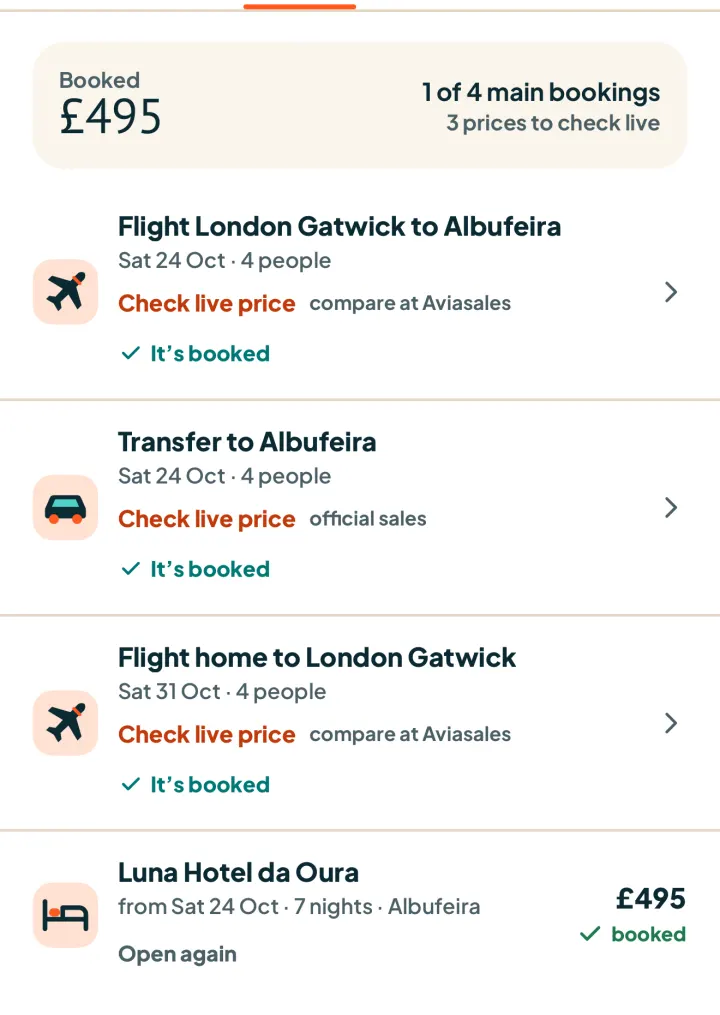
Every price in a plan comes from a partner: Booking.com, LiteAPI hotels, GetYourGuide, TourRadar, Trip.com, 12Go, Direct Ferries and flight partners. You see the live price with its source and the time it was checked, or a Check live price button, never an estimate. Each item has its own Book button and confirmation. Hotels check out inside the app; other partners open in the in-app browser in your language and currency. On "Half-term in the Algarve with two kids", the Bookings tab shows the flights, transfer and hotel with their status.

A trip's bookings: outbound and return flights, transfer and hotel with price and booking status

One travel wallet, tickets offline too

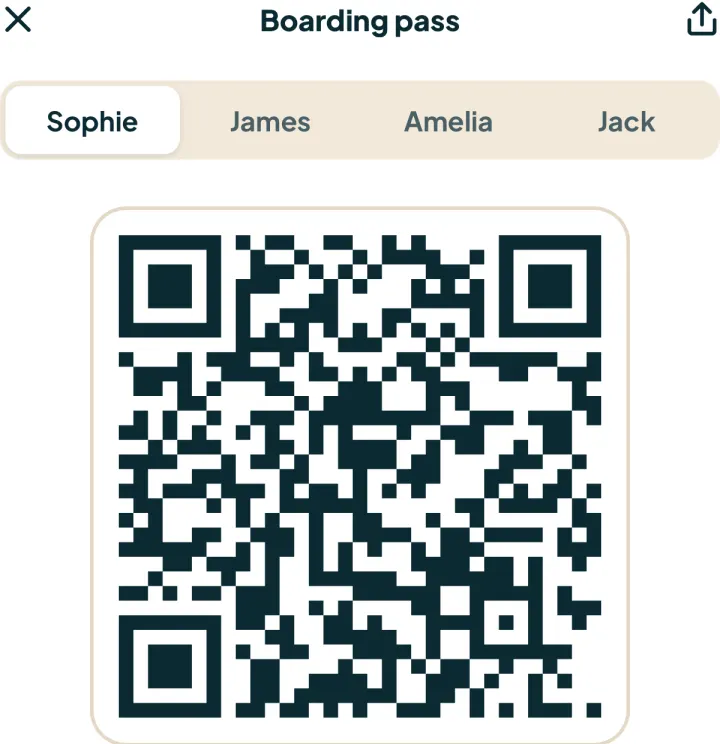
Everything you book lands in the travel wallet of that trip: tickets, boarding passes with their QR code, confirmations and documents. Open the trip, tap Bookings, then the flight, and the boarding pass fills the screen, with a tab for each traveller. Tickets open offline, even in airplane mode, so at the gate you need no signal. For "Half-term in the Algarve with two kids", all four boarding passes sit in one place.

A boarding pass with a large QR code and a tab for each traveller

Follow along and live changes

Share one link and family and friends follow the trip live, day by day on the map, without creating an account. When sharing, you decide who may view and who may edit, and a group can vote and comment. While you travel, delays, weather and closures show up in the trip, and Genie proposes the fix, such as a new departure or an indoor plan for a rainy day, which you accept with one tap. Grandparents at home can watch "Half-term in the Algarve with two kids" stop by stop.

The map of one travel day with its route, numbered stops and the share button at the top

Genie, your AI travel agent

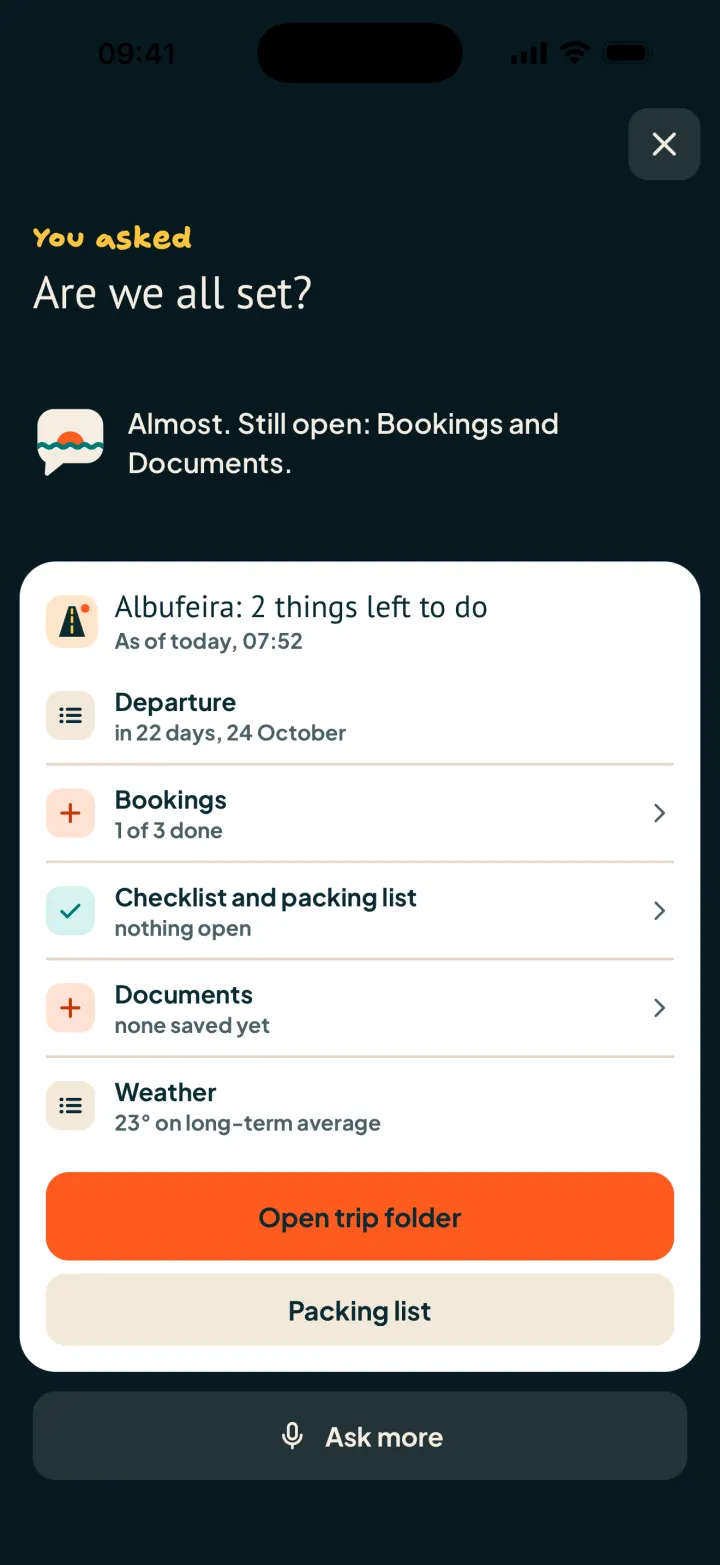
Genie sits on every screen. Tap the speech bubble button and ask by voice or text. Genie plans the whole trip, books it and changes it, for example "move the boat trip to Thursday" or "find a cheaper hotel near the beach". Before any change, Genie shows what it will do and asks for your OK. Ask "Are we all set?" before "Half-term in the Algarve with two kids" and Genie lists what is still open, such as bookings or documents, with a button straight to the trip folder.

Genie answers "Are we all set?" with departure, bookings, packing list, documents and weather

A large travel database behind every plan

Behind every plan sits a large travel database: 15,104 destinations, 1,986,461 places from sights and beaches to restaurants and stays, and 45,847 written guides. Each destination carries long-term climate for every month with day and night temperatures, sunshine and rain days, plus sea temperatures, the Beach Index and flight times from your home airports. Air temperatures come from NASA POWER, sea temperatures from NOAA OISST. Plan "Half-term in the Algarve with two kids" and the water temperature already shows on every day.

A photo of a place from the travel database

Destination films and reels

Tap the play button on the map and your plan runs as a short film: the flight arc, the places you stay and then each day in turn, ready to share with everyone coming along. In the app, informative destination reels show a place before you go, so you see the beaches, towns and routes ahead of time. For "Half-term in the Algarve with two kids", the film follows the flight to the Algarve and then each day on the coast, and the children see where they are going.

A frame from the trip film: the route on the map with the flight arc and the day's stops

Packing list and costs

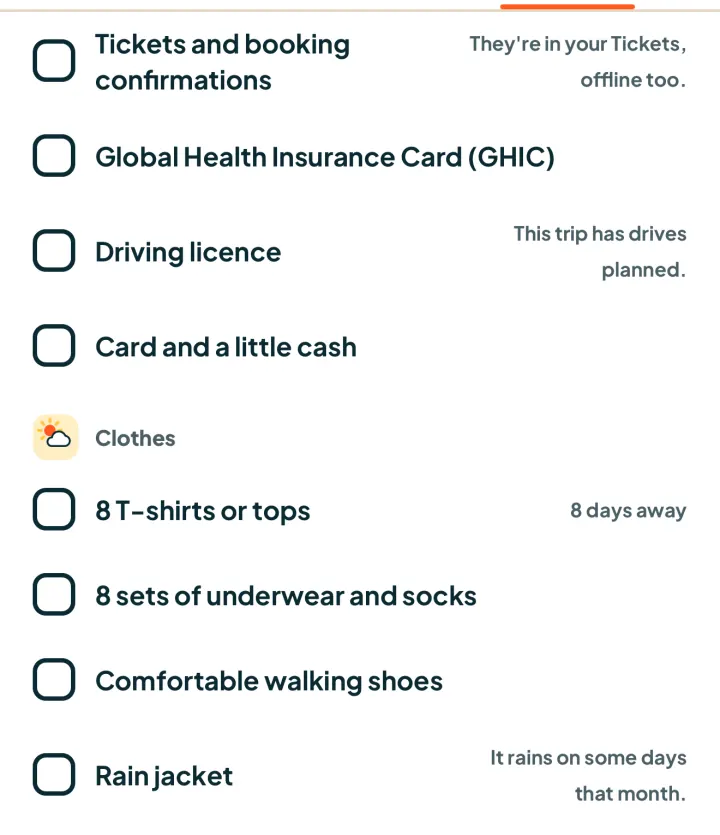
The packing list is built from the weather, your plans and the children's ages, and it sits in the Packing list tab of every trip. Next to it, the Costs tab adds up spending in your home currency and splits it within the group, and price alerts watch flights and stays for you. For "Half-term in the Algarve with two kids", the list follows the October weather, the beach and boat days and what both children need at their ages.

A trip's packing list, put together from the weather and the plans

The holiday planner

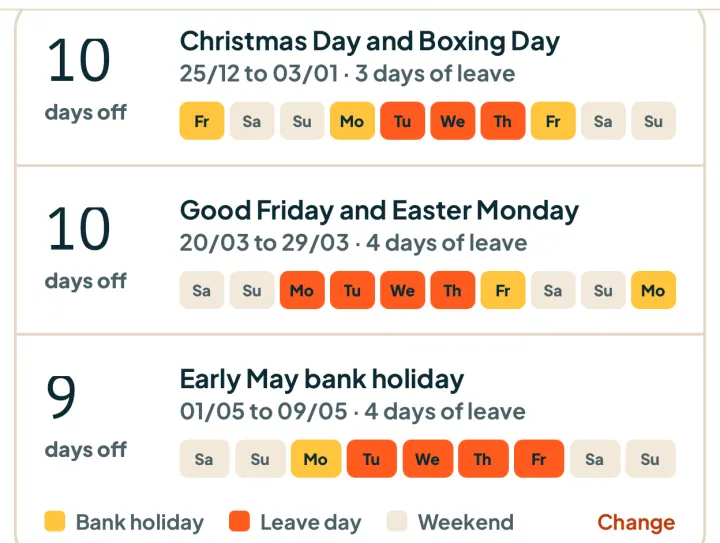
The holiday planner turns bank holidays and your leave days into longer trips, using official holiday data for your market. It lists each window with the days off you gain and the leave days it takes, coloured by bank holiday, leave day and weekend. Tap a window and you carry on planning from there. That is how you find the dates for "Half-term in the Algarve with two kids" and see which bank holidays stretch the break further.

The holiday planner with days off, leave days and colour-coded bank holidays

Polarsteps at a glance

Polarsteps is a travel tracker and planner that records your route and turns trips into printed travel books.

Polarsteps suits travellers who want their route tracked automatically, also offline, and shared with family and friends as they go. After the trip, the steps can become a printed Travel Book. The AI Trip Planner builds an itinerary from your goals and preferences.

www.polarsteps.com

App Store (US)
4.9 (9,705 ratings)
Source, as of 5 October 2026
Google Play
4.7 (196K reviews, 10M+ downloads)
Source, as of 5 October 2026

Keep comparing and planning

Sources

  1. [1] Polarsteps: Polarsteps AI Trip Planner, checked on 5 October 2026
  2. [2] Polarsteps: Polarsteps help: offline, checked on 5 October 2026
  3. [3] Polarsteps: Polarsteps Plus, checked on 5 October 2026
  4. [4] Polarsteps: App Store (US), checked on 5 October 2026
  5. [5] Polarsteps: Google Play, checked on 5 October 2026

Plan your trip with HolidayWow

Describe your trip in one sentence. When, who with and what matters to you.

Five minutes of holiday every Sunday.

Where it's warm right now, real fare finds from your airport, bank holiday breaks for your nation and a ready-made trip to make your own.

Free, every Sunday. We'll email you straight away to confirm. Unsubscribe at any time with one click. We look at which links you click so the newsletter suits you better. More in the Privacy Notice.