Ten years of climate
Temperature, sea, sun and rain days for every month, measured, not guessed. You see how your trip will feel before you go.


Published October 5, 2026 · HolidayWow editors · Written with AI, numbers checked against our data ·
A blank itinerary template starts every trip the same way: empty rows waiting to be filled in by hand. HolidayWow starts from the opposite end, reading one sentence or a spoken description and filling the days, the places, the bookings and the notes before you open a single cell.
A typical itinerary template has a row for each day, columns for the morning, the afternoon and the evening, a place for notes, and space for confirmation numbers once things are booked. Filling that out by hand works, but every row depends on decisions, the order of stops, the pace, the travel time between them, that the template itself does not make for you.

HolidayWow makes those decisions as part of building the plan: the order, the pace and the travel time come from the sentence you describe the trip in, not from a template left blank until someone sits down to complete it.
Saying or typing a trip, a week in Ireland in May, for example, hands back a route with every day drawn as a line on a map, every stop a pin, every leg showing its travel time, the same structure a template would ask for but already populated. Three travel paces, relaxed, balanced or packed, set how full each day runs.
 Ireland
The plan checker re-orders the day and recalculates every leg the moment a stop moves, which is the part a static template leaves for someone to redo by hand.
Ireland
A template for Yellowstone National Park in March would need someone to look up that the park sees 27°F days, 8°F nights, 7 hours of sun and 17 rain days, 1,580 miles from Atlanta. HolidayWow fills that in automatically, then paces the days around those numbers, a relaxed pace suited to shorter cold-weather outings.
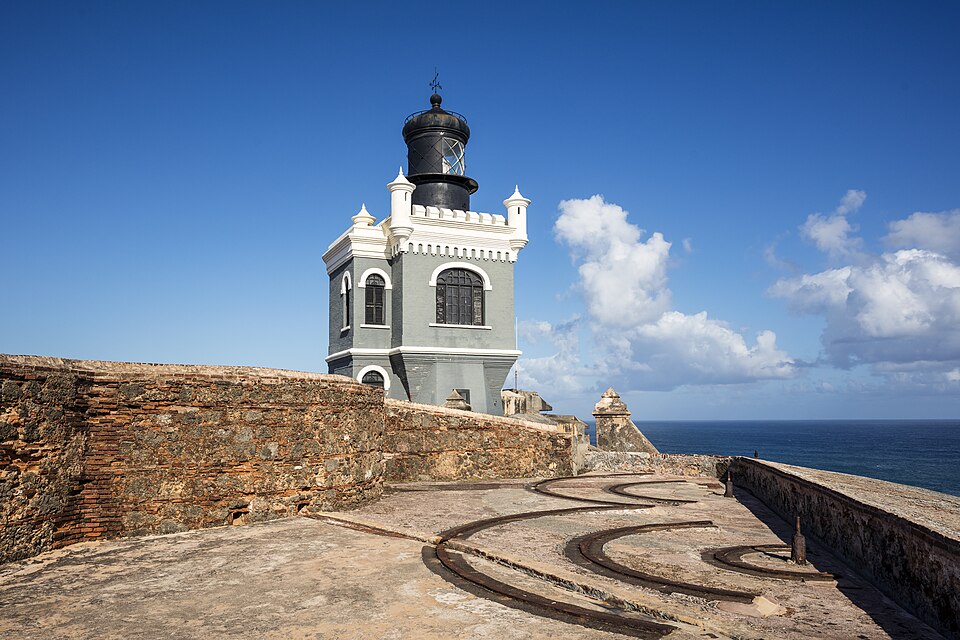 Puerto RicoiPhoto: Godot13 · CC BY-SA 4.0 · Wikimedia Commons
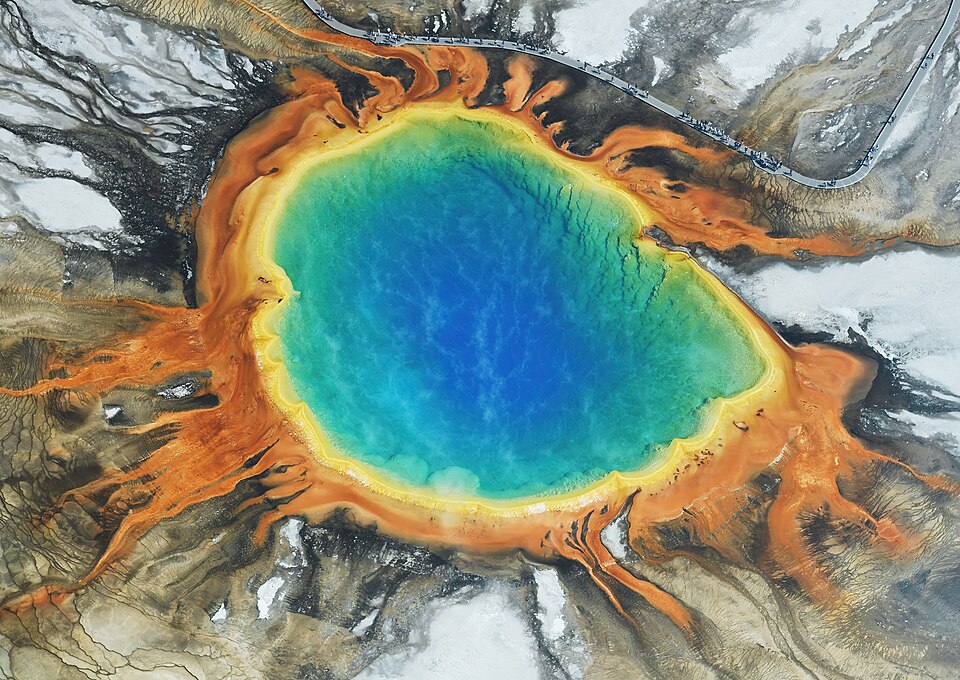 Yellowstone National ParkiPhoto: Carsten Steger · CC BY-SA 4.0 · Wikimedia Commons
A Puerto Rico trip in October instead brings 86°F days, an 84°F sea and 23 rain days, 1,535 miles from Atlanta, numbers that shift the same template toward beach time balanced against afternoon showers.
Puerto RicoiPhoto: Godot13 · CC BY-SA 4.0 · Wikimedia CommonsYellowstone National ParkiPhoto: Carsten Steger · CC BY-SA 4.0 · Wikimedia CommonsNew trip


When, who with, what matters and what's a no. No form, no ten filters. HolidayWow understands the dates, budget, departure point, pace and wishes from one sentence.

New trip
Every idea comes with a total price and a clear answer to why it fits you: weather, flight time, beaches, food, short distances.

Your trip ideas
Sicily
Food · small towns · sea
7 days for 2

Crete
Sea · tavernas · nature
7 days for 2

Mallorca
Sea · comfort · short distances
7 days for 2
Arrival, transfer, check-in, sunset, dinner. Just say “make it cheaper” or “no rental car” and the trip adapts.

Day 1
Arrival
Arrival in Heraklion Transfer · 35 minCheck-in by the sea
 Sunset
 Taverna at the harbor
Rain on the way? Then the beach day becomes a day at the market and a museum. Flight status, weather and your day plan in one place.

Day 3 · boat trip
Where a template leaves a notes column for loose details, HolidayWow attaches those details to the stop itself: a side-panel assistant tracks whichever day or stop is selected and can change the plan on request through the same actions as the buttons.

Stays, tours and transport show a live partner price or a Check live price button right inside the plan, booked through the same partner links, so the confirmation column fills itself in as bookings happen rather than waiting for someone to copy in a number.

Dragging a stop to another day, swapping a place, or lightening a day that runs long all run through the plan checker, which re-orders the day and recalculates every leg after each change, keeping the whole structure consistent the way a manually edited template rarely stays.

Three travel paces can be set for the whole trip or changed for a single day, so a packed sightseeing day in one template row and a relaxed beach day in the next both make sense without extra adjustment.
One shared link opens the same plan for everyone, with roles for who can view and who can edit, plus voting and comments on any stop still being decided, so sending the itinerary to a group means sending a finished plan rather than a template that still needs the recipient to fill in gaps.

A trip budget keeps the running total visible, with price watch on any saved option and cost splitting for groups, numbers a blank template never tracked on its own.

Temperature, sea, sun and rain days for every month, measured, not guessed. You see how your trip will feel before you go.
Nonstop flights, flight times and transfers from 12 US airports, worked out from your door to the hotel.

Flights, hotel, transfers and experiences in one sum for everyone traveling, with the provider and when the price was checked. No teaser prices.

A packing list and checklist build from the plan, the month and the climate at the destination, so the Yellowstone list and the Puerto Rico one look nothing alike without anyone typing either by hand. A document vault keeps passports, tickets and confirmations attached to the trip they belong to, the kind of attachment a paper template was never built to hold.

The trip film plays the finished plan back as a short film on the map once the trip is over, the flight arc, the bases and each day, a record no spreadsheet row produces on its own.
The PTO planner lines up federal holidays with the typical 11 days of leave many travelers use, which matters for an itinerary template since the dates chosen shape every row that follows. Once a stretch like spring break or Thanksgiving is settled, the same plan carries those dates straight through, giving every day card its weekday, live weather and live prices.

A template filled in without real dates in mind often needs reworking once the calendar is settled, every row shifted by a day or two once the actual leave dates come through; building the plan from the dates forward avoids that extra pass entirely.

Open the app and describe the trip in one sentence or by voice, and the itinerary fills in on the map within moments, days, places, bookings and notes all in the same plan.
The app is free to download and to plan with, so trying a filled-in itinerary instead of starting from a blank template costs nothing beyond that first sentence.
Yes, it fills in the same structure a template asks for, days, places, bookings and notes, automatically from one sentence rather than leaving it blank for you to complete row by row.
Yes, a side-panel assistant tracks whichever day or stop is selected and can add or change details on request, so notes attach to the exact place they belong.
Yes, the app is free to download and free to plan with, including the automatically filled itinerary and every edit that follows.
Yes, the plan checker re-orders the day and recalculates every leg the moment a stop is dragged to another day or swapped for a different one, so the rest of the itinerary stays correct without a manual pass.
Yes, stays, tours and transport show a live price from partners such as Booking.com, GetYourGuide, Viator and Trip.com, or a Check live price button, never an estimated figure typed in as a placeholder.
Yes, one shared link opens the same plan for everyone, with roles for who can view and who can edit, plus voting and comments on any stop still being decided, so the group reviews one finished version instead of several copies.
Your next trip

Describe your trip in one sentence. When, who with and what matters to you.

Where it's warm right now, real fare finds from your airport, the best PTO days for your state and a ready-made trip to make your own.