Ten years of climate
Temperature, sea, sun and rain days for every month, measured, not guessed. You see how your trip will feel before you go.


Published October 5, 2026 · HolidayWow editors · Written with AI, numbers checked against our data ·
HolidayWow is a trip planner app you keep open on your phone from the first idea to the last day of the trip. Describe the trip once, watch it land on a map as days and pins, then edit, book and share it from wherever you happen to be standing.
Open the app and describe the trip the way you would tell someone about it, a week somewhere warm with the kids, say, and the planner pulls out the place, the month, the group and the pace on its own. The result sits on a map rather than in a list: each day is a route, each stop is a pin, and each leg between them carries its own travel time.

Three pace settings shape how full a day looks: relaxed holds it to one or two stops, balanced runs two or three, and packed fits three to five. The app lets you set a pace for the whole trip or change it for a single day that needs to be lighter or busier.
Because the plan lives in the app, an idea that comes up on a commute or in a waiting room goes straight into the trip instead of waiting for a laptop. Large text and voice input mean a stop can be added or a day reshaped by speaking, useful when your hands are full.
Dates are optional at the start, so a trip can exist as a month while the group is still deciding on real dates. Add the real dates later and every day card in the app fills in its weekday along with live weather and live prices for that stretch.
A stop that looks better on another day moves with a drag, and a place can be swapped for a nearby one in a tap. After either change, the plan checker re-orders the rest of that day so nothing is left clashing.
A side panel assistant in the app knows which day, stop or moment of the trip film you currently have open, and can make the same change you would make by hand, just through a typed or spoken request instead of a button.
The whole trip can also play back as a short film on the map inside the app, the route, the stays and each day shown in order, a quick way to check a plan feels right before anything is booked.
New trip


When, who with, what matters and what's a no. No form, no ten filters. HolidayWow understands the dates, budget, departure point, pace and wishes from one sentence.

New trip
Every idea comes with a total price and a clear answer to why it fits you: weather, flight time, beaches, food, short distances.

Your trip ideas
Sicily
Food · small towns · sea
7 days for 2

Crete
Sea · tavernas · nature
7 days for 2

Mallorca
Sea · comfort · short distances
7 days for 2
Arrival, transfer, check-in, sunset, dinner. Just say “make it cheaper” or “no rental car” and the trip adapts.

Day 1
Arrival
Arrival in Heraklion Transfer · 35 minCheck-in by the sea
 Sunset
 Taverna at the harbor
Rain on the way? Then the beach day becomes a day at the market and a museum. Flight status, weather and your day plan in one place.

Day 3 · boat trip
For New York City in February, the app would show a day of 4 °C with a night at minus 1 °C, 5 hours of sun and 10 rain days, a city month built for museums and matinees between the cold spells, with the live distance from your home city drawn in once you set it.
 New YorkiPhoto: King of Hearts · CC BY-SA 4.0 · Wikimedia Commons
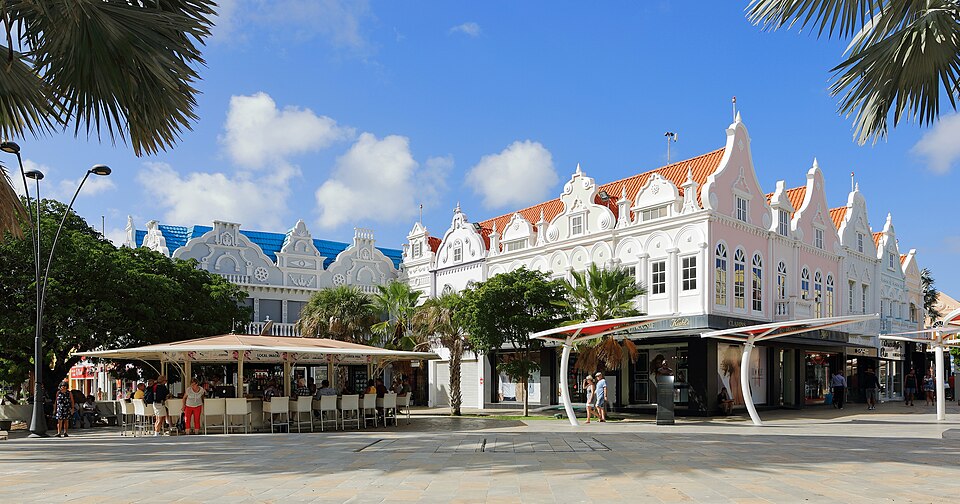 ArubaiPhoto: Martin Falbisoner · CC BY-SA 4.0 · Wikimedia Commons
For Aruba in September, the app would show a 30 °C day with a 28 °C night, 9 hours of sun and 11 rain days, mild enough that the app's day cards would lean toward beach walks over heavy coats.
New YorkiPhoto: King of Hearts · CC BY-SA 4.0 · Wikimedia CommonsArubaiPhoto: Martin Falbisoner · CC BY-SA 4.0 · Wikimedia Commons
March break, summer vacation and the Christmas break are the three stretches most Canadian families build a trip around, and the app reads a sentence like a week somewhere warm for March break the same way it reads any other request. Outside those weeks, the Long Weekend planner inside the app turns a single day off around a Monday or Friday into a short trip.

With a typical worker banking around 10 vacation days a year, the app's job is to make each one count, stretching a long weekend into a real change of scene without a lot of planning time spent first.
A search like Cancún for March break shows the shape of what the app expects: a place, a reason for the timing and a group, enough for the first version of the plan to appear before a single flight is searched.
Every stay, tour and transport leg in the plan shows a real price from partners including Booking.com, GetYourGuide, Viator, Trip.com and flight partners, live or behind a Check live price button, never an estimate. Tapping through to book keeps you inside the same app, in your own language and in Canadian dollars.

A budget sits next to the plan with price watch on stays and tours, so a drop or rise in price shows up in the app before a booking is made, and cost splitting handles a trip paid for by more than one person.
Because booking happens in the same screen as the planning, a stay or tour that catches your eye while browsing the day cards can be confirmed on the spot rather than left open in a separate tab to come back to later.

Temperature, sea, sun and rain days for every month, measured, not guessed. You see how your trip will feel before you go.
Nonstop flights, flight times and transfers from 8 Canadian airports, worked out from your door to the hotel.

Flights, hotel, transfers and experiences in one sum for everyone traveling, with the provider and when the price was checked. No teaser prices.

One link from the app opens the exact same plan for anyone you send it to, with roles for who can view and who can make changes. From there, the group can vote on a stop or leave a comment on a day without a separate message thread.

The app also builds a packing list from the plan, the month and the climate at the destination, and keeps passports, tickets and confirmations in a document vault attached to that trip, so none of it needs to be dug up from an inbox at the airport.
Download HolidayWow, describe the trip in one line or by voice, and the first version of the plan appears on the map in moments. From there the app follows you: adjust the pace, add dates when they are set, and send the link to anyone coming along.
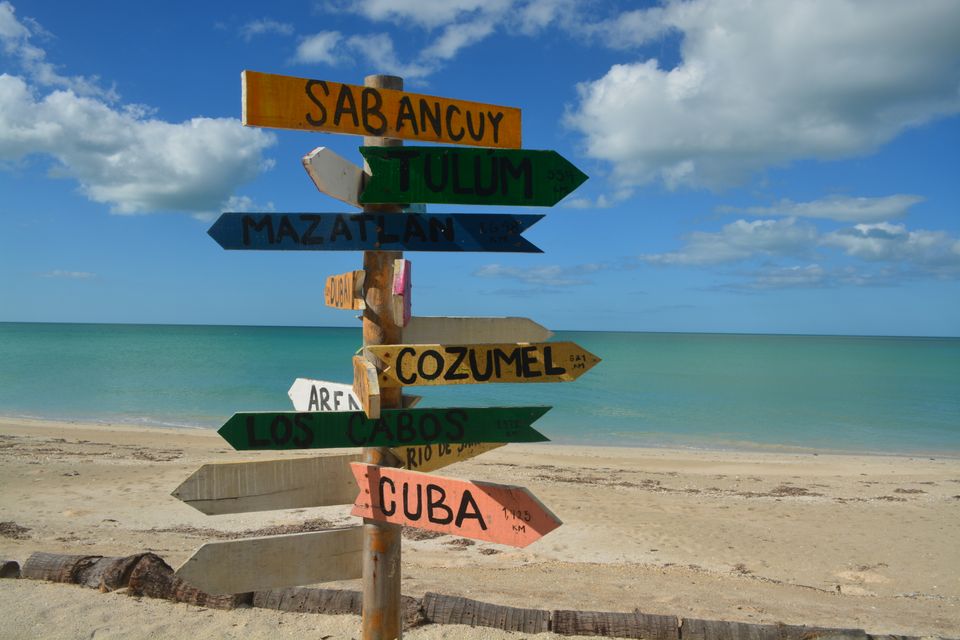
The app is free to download and free to plan with, so a trip can be sketched, reshaped and shared long before the first booking is confirmed.
Yes, the app is free to download and free to plan with, and every price shown inside it for stays, tours and transport is a real partner price or a live check, not an estimate.
Yes, describe the trip the way you would tell a friend, including the place, the month, who is coming and the pace, and the app reads those details into a day-by-day plan on a map.
Yes, drag a stop to a different day, swap a place for a nearby one, or lighten a day, and the plan checker reorders the rest of that day around the change you made.
Yes, a trip can run on a month alone at first; adding real dates later brings in the weekday, live weather and live prices for each day card.
One link opens the same plan for everyone, with roles for viewing or editing, plus voting and comments, so the group can shape the trip together from separate phones.
Each stay, tour and transport leg carries a live price from travel partners, and booking happens through the app itself, in your own language and in Canadian dollars.
Yes, a document vault in the app keeps passports, tickets and confirmations attached to the trip they belong to, and a packing list is built from the plan, the month and the climate at the destination.
Your next trip

Describe your trip in one sentence. When, who with and what matters to you.

Where it's warm right now, real fare finds from your airport, long weekends for your province and a ready-made trip to make your own.