Ten years of climate
Temperature, sea, sun and rain days for every month, measured, not guessed. You see how your trip will feel before you go.


Published 8 October 2026 · HolidayWow editors · Written with AI, numbers checked against our data ·
Planning a trip with AI works best when the first sentence is specific and the result gets checked before booking. HolidayWow reads the sentence, draws a plan on a map, and leaves every part of it open to edit.
A sentence such as a week in Hawaii with the kids in spring break already carries the destination, the length, the travellers and the timing, which is enough for a first draft to appear.
 HawaiiiPhoto: E bailey · CC BY-SA 4.0 · Wikimedia Commons
 HawaiiiPhoto: Frank Schulenburg · CC BY-SA 3.0 · Wikimedia Commons
More detail helps but is not required: naming a pace, relaxed, balanced or packed, or a specific school holiday gets a more accurate first draft, while a rough sentence still produces something to work from.
HawaiiiPhoto: E bailey · CC BY-SA 4.0 · Wikimedia CommonsHawaiiiPhoto: Frank Schulenburg · CC BY-SA 3.0 · Wikimedia CommonsThe first thing worth checking on an AI-drafted plan is the pace: relaxed (1 to 2 stops a day), balanced (2 to 3 stops) or packed (3 to 5 stops), since this decides how the rest of the days will feel.

Hawaii in August, around 28°C by day and 25°C overnight with the sea at 26°C, 10 hours of sun and 9 rain days, supports any of the three paces, so checking the guessed pace against your own energy for the trip matters more than the climate here.

Every leg on the map shows a travel time, worth checking against the pace: a packed day with long travel times between stops is a sign the plan needs lightening rather than left as drafted.
Paris in December, around 7°C by day and 2°C overnight with 2 hours of sun and 13 rain days, has short daylight hours that make this check especially worthwhile, since a day with too many long legs will not fit the available light.
Drag a stop to another day, swap it for a different place, or lighten a day that runs long, and the plan checker reorders what remains, which is the normal way to fix a first draft rather than a sign something went wrong.
 Tokyo
 TokyoiPhoto: Morio · CC BY-SA 3.0 · Wikimedia Commons
Tokyo in May, around 23°C by day and 14°C overnight with 6 hours of sun and 13 rain days, is mild enough that moving a stop between a morning and an afternoon rarely causes problems either way.
TokyoTokyoiPhoto: Morio · CC BY-SA 3.0 · Wikimedia Commons
New trip


When, who with, what matters and what's a no. No form, no ten filters. HolidayWow understands the dates, budget, departure point, pace and wishes from one sentence.

New trip
Every idea comes with a total price and a clear answer to why it fits you: weather, flight time, beaches, food, short distances.

Your trip ideas
Sicily
Food · small towns · sea
7 days for 2
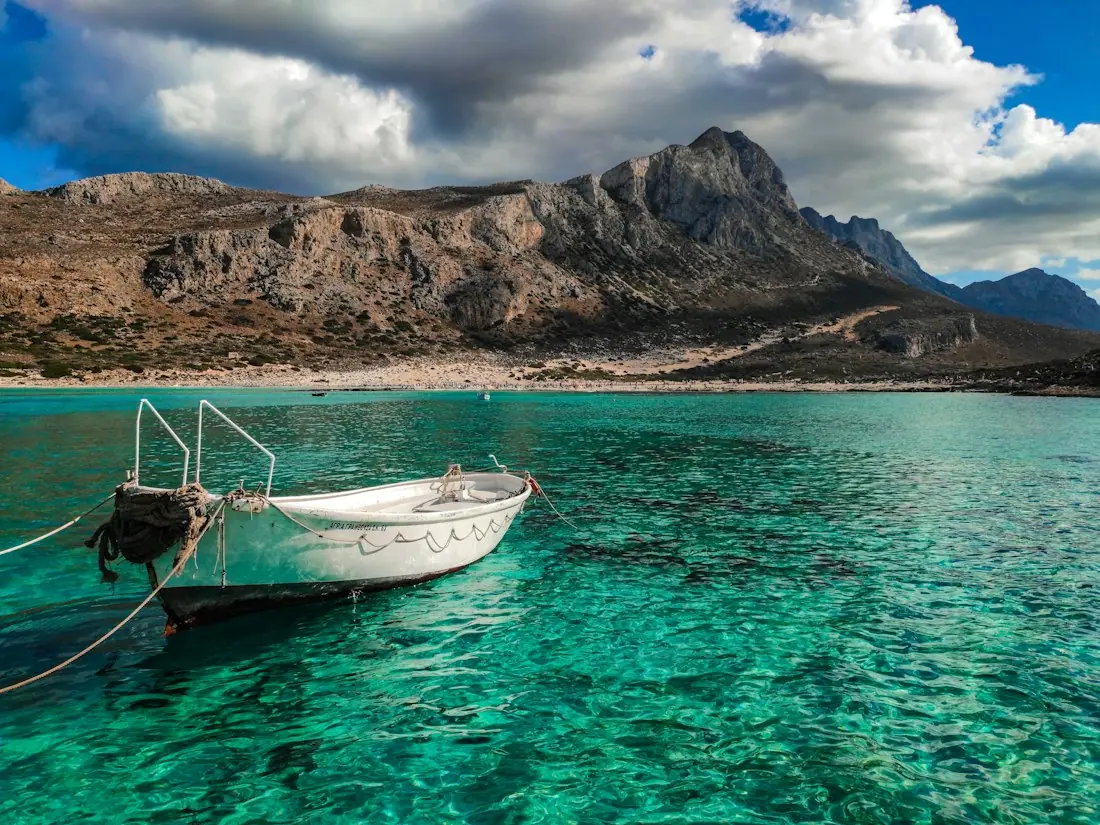
Crete
Sea · tavernas · nature
7 days for 2

Mallorca
Sea · comfort · short distances
7 days for 2
Arrival, transfer, check-in, sunset, dinner. Just say “make it cheaper” or “no car hire” and the trip adapts.

Day 1
Arrival
Arrival in Heraklion Transfer · 35 minCheck-in by the sea
 Sunset
 Taverna at the harbour
Rain on the way? Then the beach day becomes a day at the market and a museum. Flight status, weather and your day plan in one place.

Day 3 · boat trip
The side panel assistant knows what is selected and makes a change on request, so asking for a lighter Tuesday or a swap for the morning stop works the same as editing by hand.

This matters most when a change affects several days at once, since describing the change in words can be faster than dragging each affected stop individually, especially for a traveller planning from a phone rather than a larger screen.
Hong Kong in January, around 20°C by day and 13°C overnight with 5 hours of sun and 5 rain days, and Japan in March, around 12°C by day and 1°C overnight with 5 hours of sun and 11 rain days, show how two cooler months can still differ enough in rain days to change what a day should actually include.
 Japan
 Hong KongiPhoto: Hoben7599 · CC BY 3.0 · Wikimedia Commons
Reading the climate numbers on the day card rather than assuming a month based on general reputation avoids a plan that looks fine but does not match the actual weather.
JapanHong KongiPhoto: Hoben7599 · CC BY 3.0 · Wikimedia Commons
Stays, tours and transport should show a live price from partners (Booking.com, GetYourGuide, Viator, Trip.com, flight partners), or a "Check live price" button, rather than a figure with no way to confirm it by clicking through to book.

A trip budget in Australian dollars tracks the running total as these are added, worth checking against expectations before committing to a stay.
Because school holidays fall on different weeks by state, checking that the plan uses the dates for the right state matters more than it might for a generic month, especially when a sentence names a break rather than exact dates.

The Long Weekend planner can also confirm whether a public holiday has been used correctly, using official dates rather than an assumption about when it falls, with around 20 typical leave days a year as the baseline for how far it can be stretched.

Temperature, sea, sun and rain days for every month, measured, not guessed. You see how your trip will feel before you go.
Direct flights, flight times and transfers from 7 Australian airports, worked out from your door to the hotel.

Flights, hotel, transfers and experiences in one sum for everyone traveling, with the provider and when the price was checked. No teaser prices.

A packing list and checklist build themselves from the plan, the month and the climate of the destination, a useful second check on whether the plan's assumptions match what the trip will actually need.

A list leaning heavily on rain gear for a month expected to be dry, or the other way around, is a sign worth going back to check the climate numbers the plan used before finalising anything.
The destination, roughly how long, who is coming and the timing, such as a month or a school holiday, gives enough for a useful first draft.
The pace, relaxed, balanced or packed, and the travel times between stops, since both decide how realistic the days actually are.
The app is free to download and to plan with, including every edit to the drafted plan. Booking happens through partner links when you choose to confirm a stay or a tour.
Drag a stop to another day, swap it for a different place, or ask the side panel assistant for the change, and the plan checker reorders the rest.
Stays, tours and transport show a live price from partners such as Booking.com, GetYourGuide, Viator and Trip.com, or a "Check live price" button, never an estimate.
Yes. One link opens the same plan for everyone, with roles for viewing and editing, voting on stops and comments on a day.
Yes. A list that leans heavily on rain gear for a month expected to be dry is worth checking against the climate numbers the plan used before finalising anything, since the two should always line up with each other.
No. A month or a school holiday name is enough to start, with exact dates added once leave is confirmed.

Your next trip

Describe your trip in one sentence. When, who with and what matters to you.

Where it's warm right now, real fare finds from your airport, long weekends for your state and a ready-made trip to make your own.